Design simple email campaigns and send them to people who follow and buy from you.
Add a title, text, an image, a button or a video, and arrange them the way you like.
See exactly how it looks on desktop and on a phone before it goes out.
Send to the people who follow you, from the same place you sell.
Design campaigns with simple blocks, preview on desktop and phone, then send to the people who follow you.
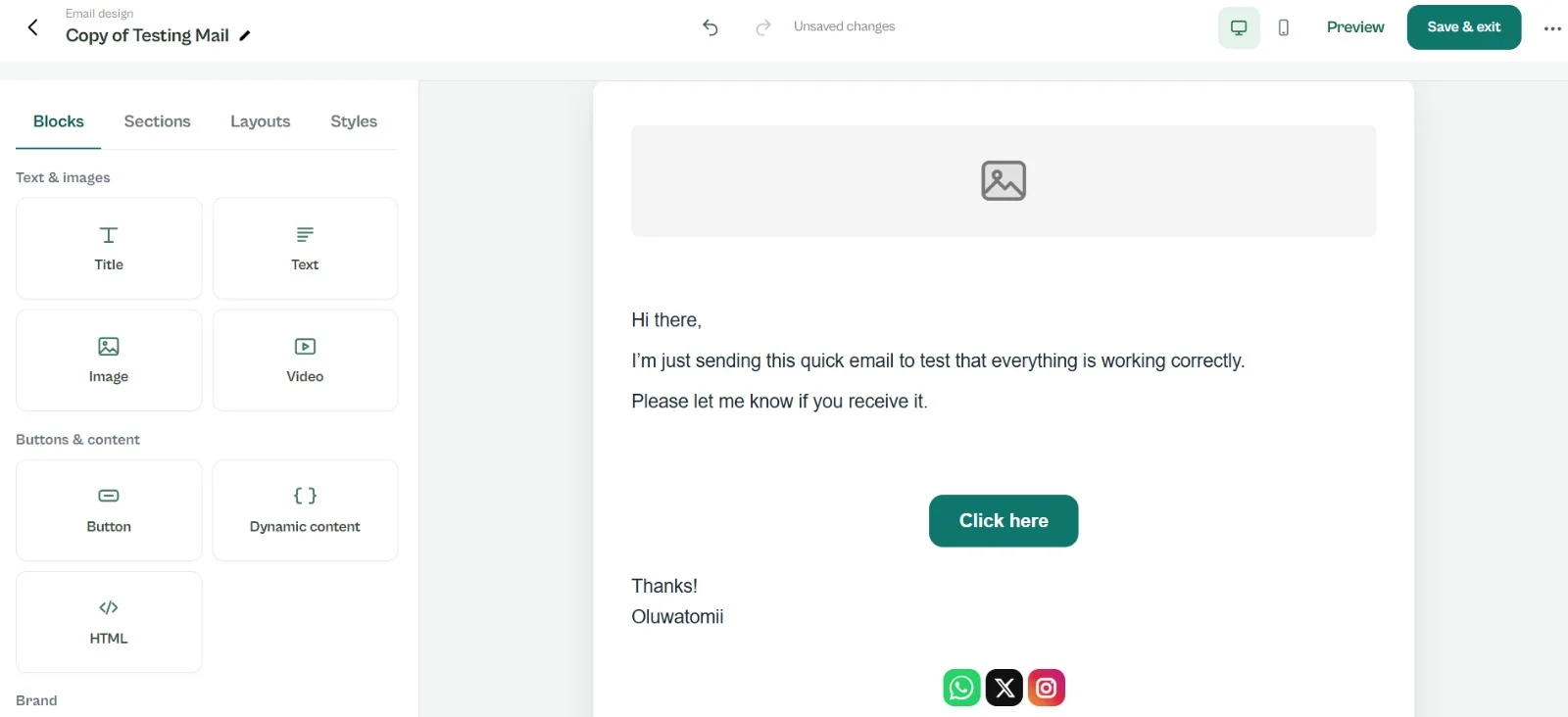
Add a title, text, image, button or video.
Check how it looks on desktop and on a phone.
Reach your followers and buyers from the same place you sell.
The people who follow you and the people who buy from you.
Yes. Preview it on desktop and on a phone before you send.
Yes. You can add sign up forms to collect contacts and set up automations.
Joining is free. Start with a profile, then add what you need.